Fraga's Tech
HealthEducationAesthetics & wellnessConsulting

It's not a website.It's your work running itself.

A pretty website doesn't book appointments, doesn't confirm a visit, doesn't remind anyone of anything, and doesn't tell you what happened this week. This does all four — and a few more — while you work.

Working alone turns you into your own secretary

And nobody pays you for that shift.

The schedule lives in WhatsApp, and WhatsApp doesn't warn you when two clients ask for the same slot. Confirmation is manual, so someone always forgets. The reminder is you typing it out the night before. A client asks “any slot on Thursday?” at eleven at night, and the answer depends on you being awake.

That costs three things, every month: no-shows nobody confirmed, hours you never billed, and clients who gave up because they wanted it solved that minute and you answered the next day.

The website most people buy is a flyer: pretty, static, and unable to do anything once the visitor finishes reading.

What's described here is different in exactly one way, and it's the only one that matters: it operates. It books, confirms, reminds, records and reports. You show up to work, not to administrate.

Six layers, one thing

Each layer solves a different problem. Together, they're why this isn't comparable to a website.

01

Presence

Where people find you, and what they see when they do.

  • A home page that convinces someone who's never heard of you — always ending in one request: book.
  • A bio page (full profile) and a links page (the 10-second version) — you choose which one lives on Instagram, and swap it any time.
  • A business card with a QR code to the links page, plus technical SEO and LGPD-compliant legal pages.
02

Scheduling

The layer that gives you your nights back: this is where it stops being a website.

  • Connected to your Google Calendar both ways — it never offers a slot that collides with something of yours.
  • Each service has its own duration, a configurable minimum notice, and automatic or manual confirmation.
  • Clients reschedule and cancel on their own, within the rules you set.
03

Relationship

What happens between one visit and the next — where the client decides whether to come back.

  • Automatic emails in your identity for every status change: received, confirmed, rescheduled, cancelled.
  • A client area with history, notes from you, and package progress.
  • Testimonials that need your approval before they appear on the site.
04

Operations

Your side: one screen instead of five apps.

  • Confirm, reschedule, cancel and complete — each action fires the right email on its own.
  • You can also book for someone who called or showed up at the door, even outside the offered slots.
  • One record per person: history, notes and packages together in one place.
05

Foundation

What nobody sees, and everybody feels when it's missing.

  • Domain and professional email registered in your name and tax ID — not mine.
  • Hosted on the same infrastructure used by Nike, Under Armour and OpenAI.
  • Firewall, role-based access and LGPD compliance from day one.
06

Intelligence

Knowing what's happening, already digested — not a technical dashboard.

  • Traffic, real-world speed and error monitoring, reviewed by me every month.
  • Every change becomes a preview link before going live, and rolls back in seconds if something breaks.
  • A monthly report in plain language: what happened, and what I recommend.

One booking, from start to finish

Seven steps. You appear in one. That's why this isn't a website.

  1. Client

    Picks a time on the site

    Only real slots show up: your calendar was already checked.

  2. System

    Double-checks before accepting

    Between seeing and clicking, someone else may have taken the slot. The check runs again on the server.

  3. System

    Notifies both sides

    They get “request received.” You get “new request.” Nobody is left in the dark.

  4. You · the only step that's yours

    Taps “Confirm”

    One tap, from the phone. Or not even that, if you prefer automatic confirmation.

  5. System

    Creates the event on your Google Calendar

    With name, service and location. If it's online, with the Meet link.

  6. System

    Sends the confirmation with a calendar invite

    They tap once and it's on their phone.

  7. System

    That slot disappears for everyone else

Seven steps, one of them yours. And it's the same flow when someone reschedules or cancels: the email goes out, the calendar adjusts, the slot opens back up.

Dr. Mikaelly Teodorio

Dental surgeon in Pouso Alegre, Minas Gerais. She works alone.

Before: schedule on paper and in WhatsApp, manual confirmation the night before, and no presence outside Instagram.

Today: an institutional site, a bio page for Instagram, booking connected to her Google Calendar, automatic emails in the practice's identity, a patient area with history, notes and treatment plans, and a panel where she handles everything from her phone between appointments.

Open site

The website

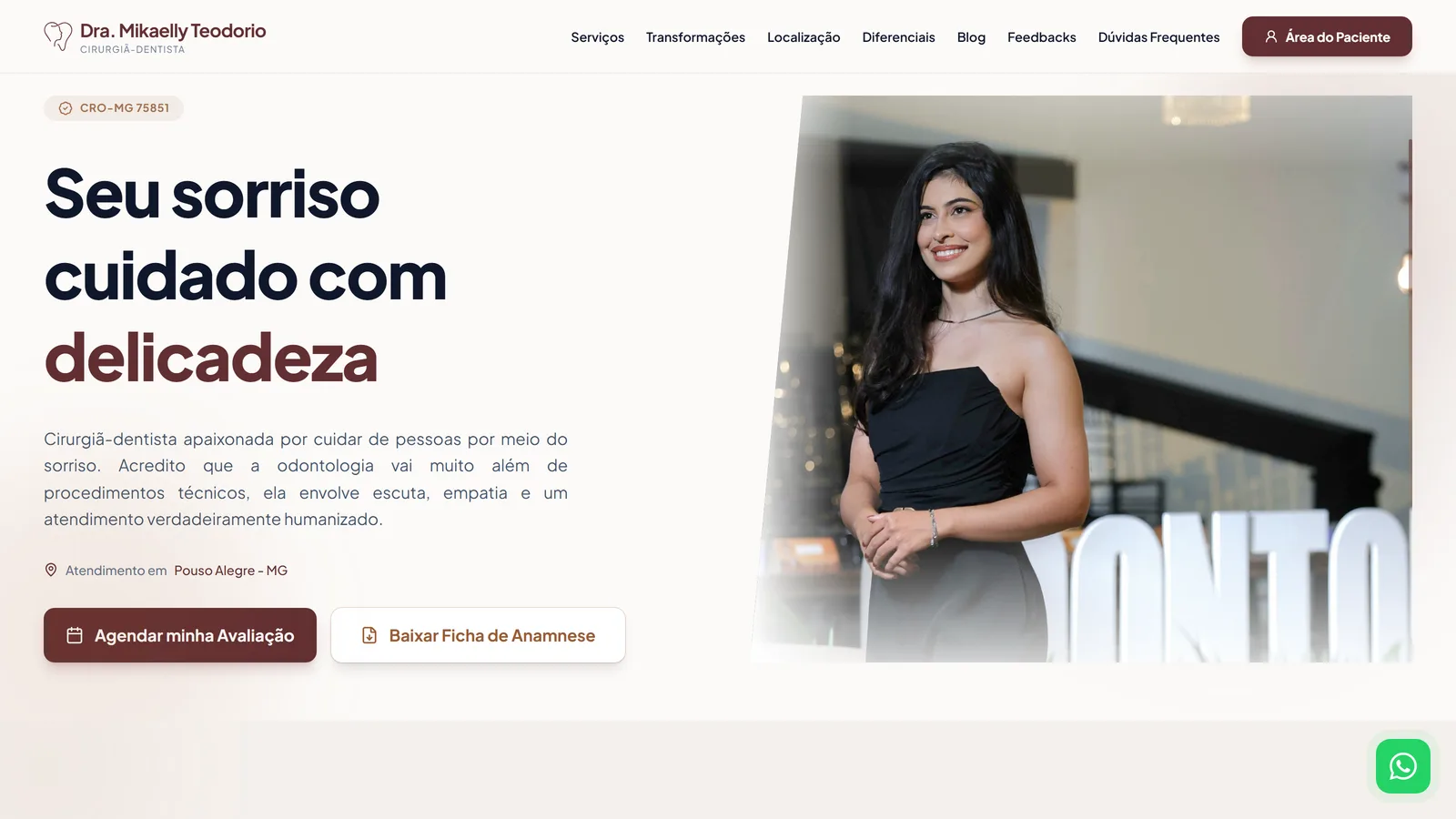
Dr. Mikaelly's home page, on desktop
The home page, on desktop.
Dr. Mikaelly's site on mobile
The site on mobile, which is how almost everyone arrives.

Bio and links

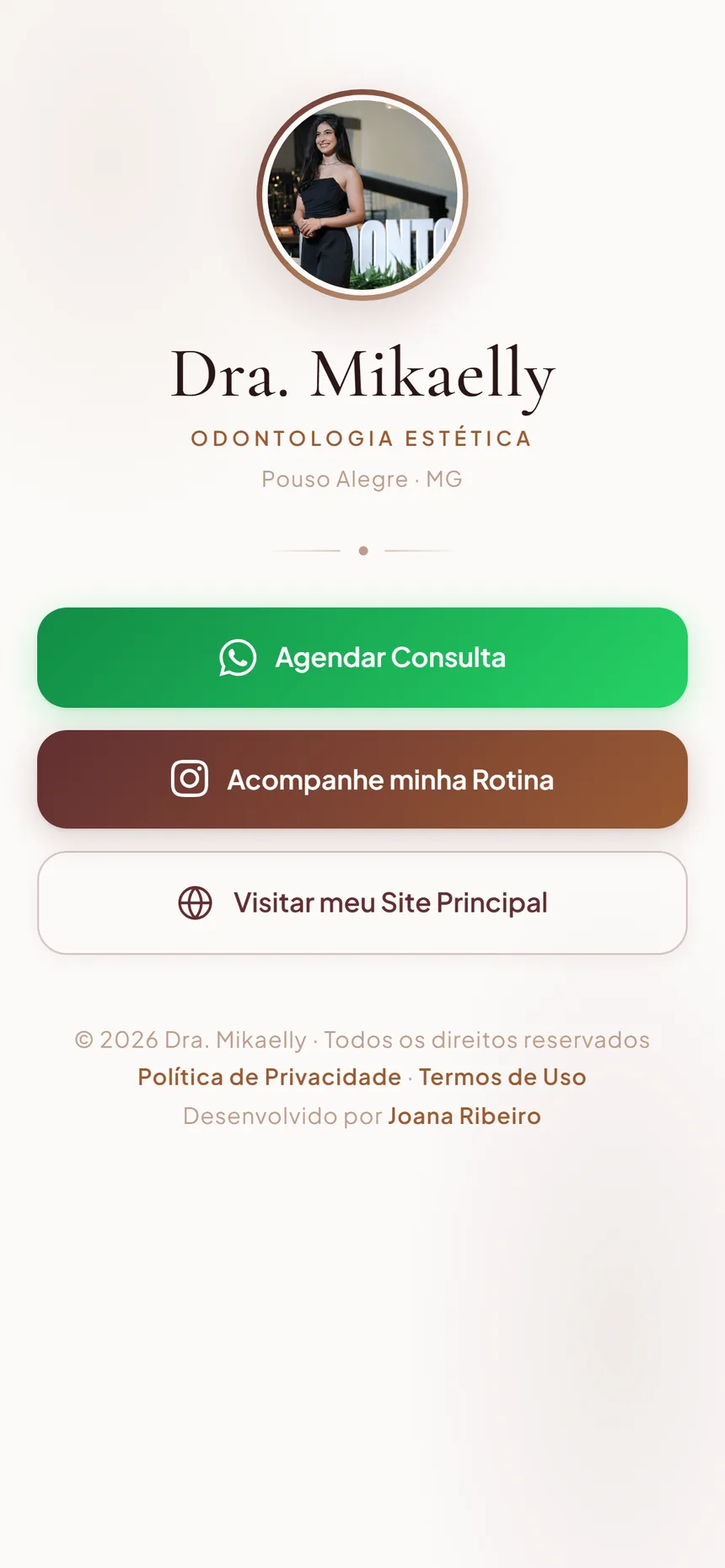
Dr. Mikaelly's bio page on mobile
The bio page: the full profile, for someone discovering her.
Dr. Mikaelly's links page on mobile
The links page: the direct version, for someone who already knows her.

Booking and client area

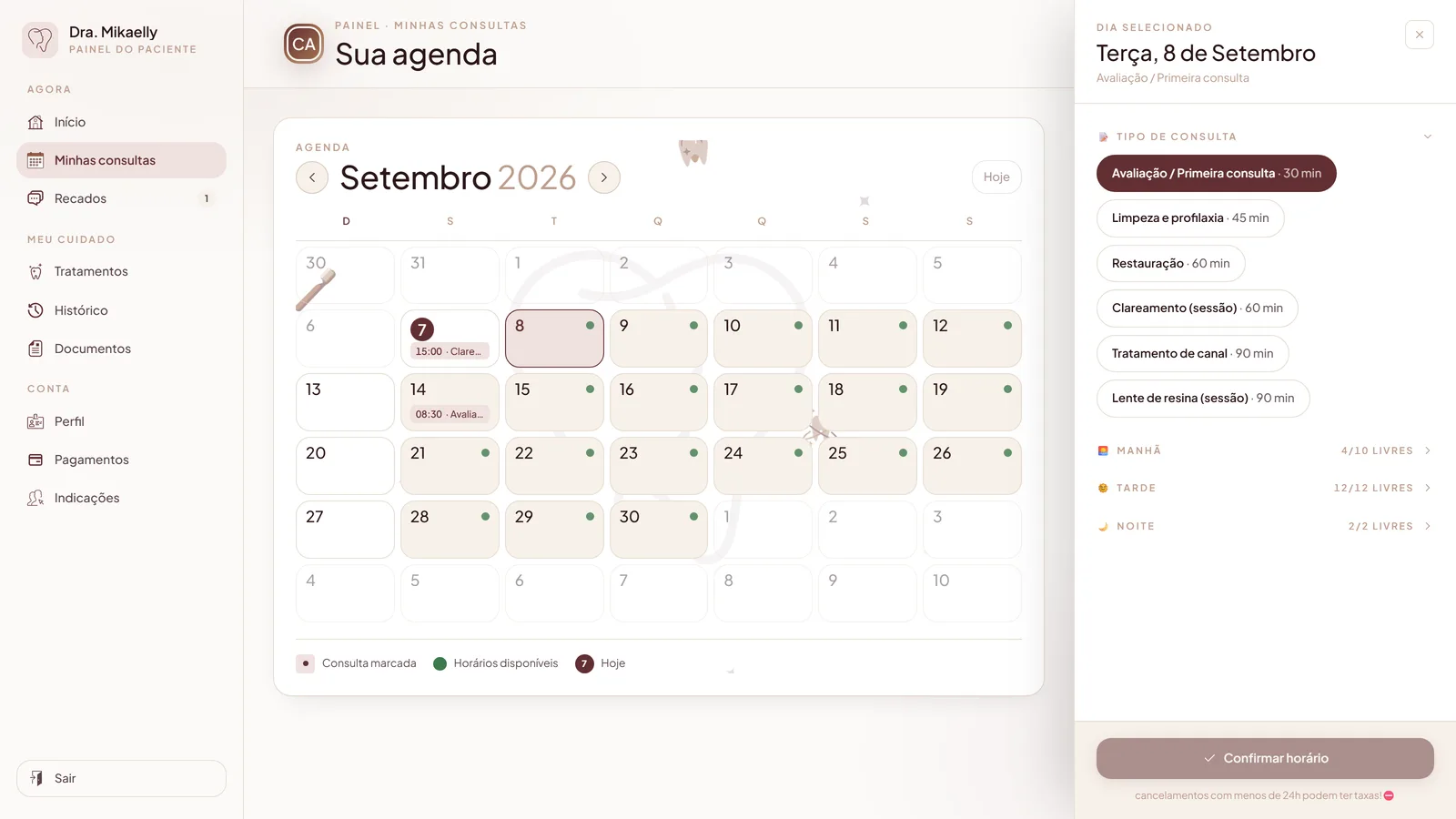
Booking screen with a monthly calendar and open slots
The patient booking on her own: days with open slots and the duration of each visit type.
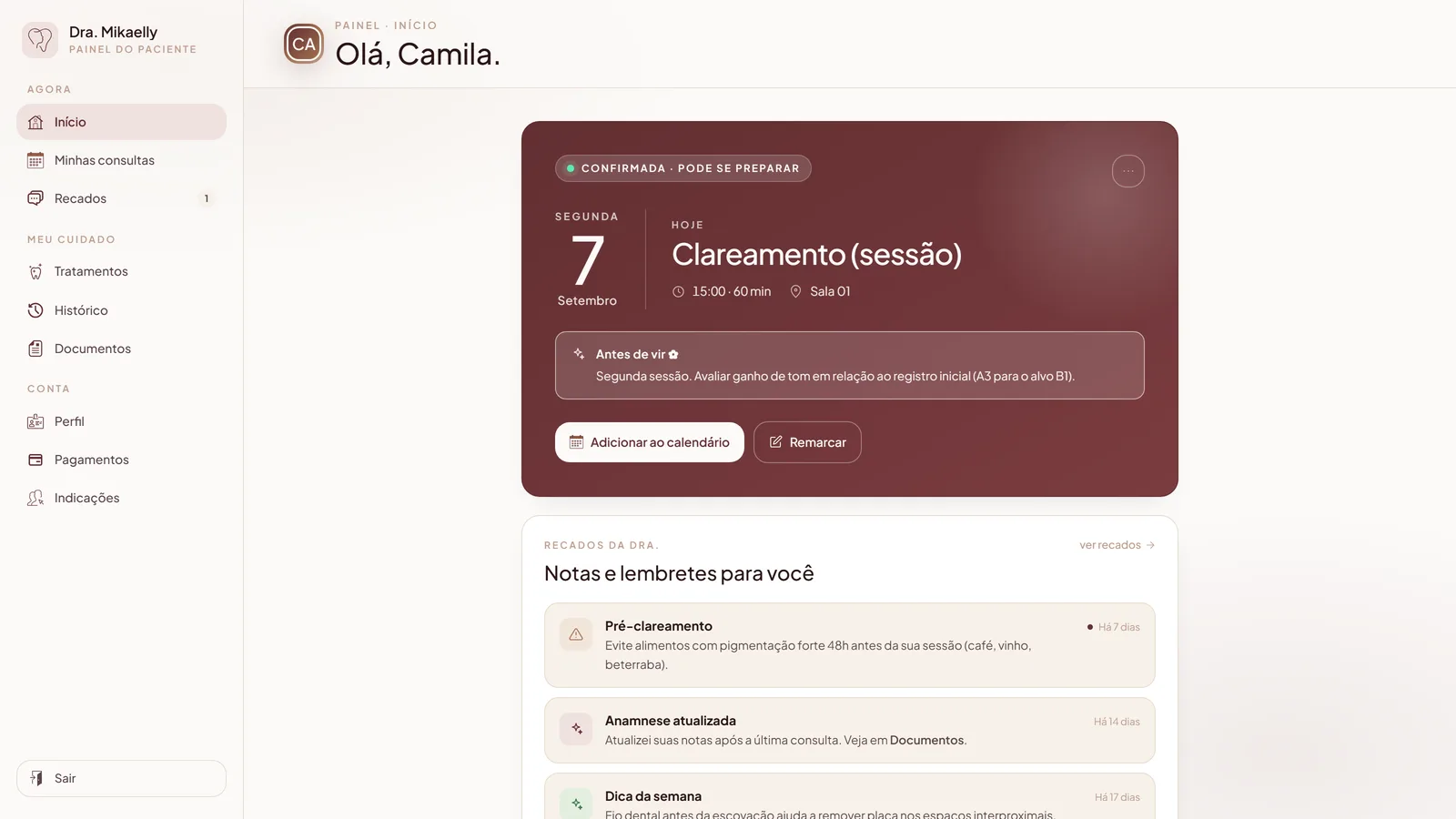
Client area with the next appointment and notes
The client area: next appointment, notes, and the treatment in progress.

Automatic emails

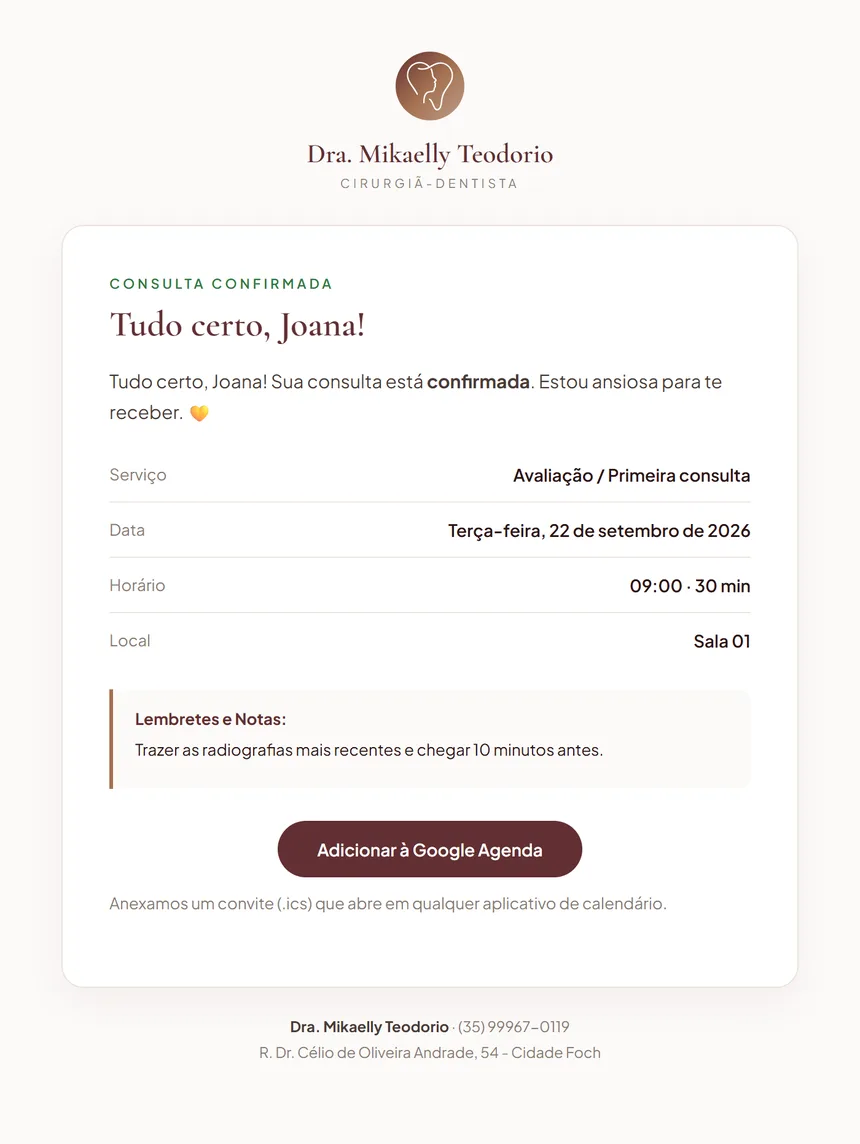
Appointment confirmation email in the practice's visual identity
The confirmation email, exactly as the patient receives it.
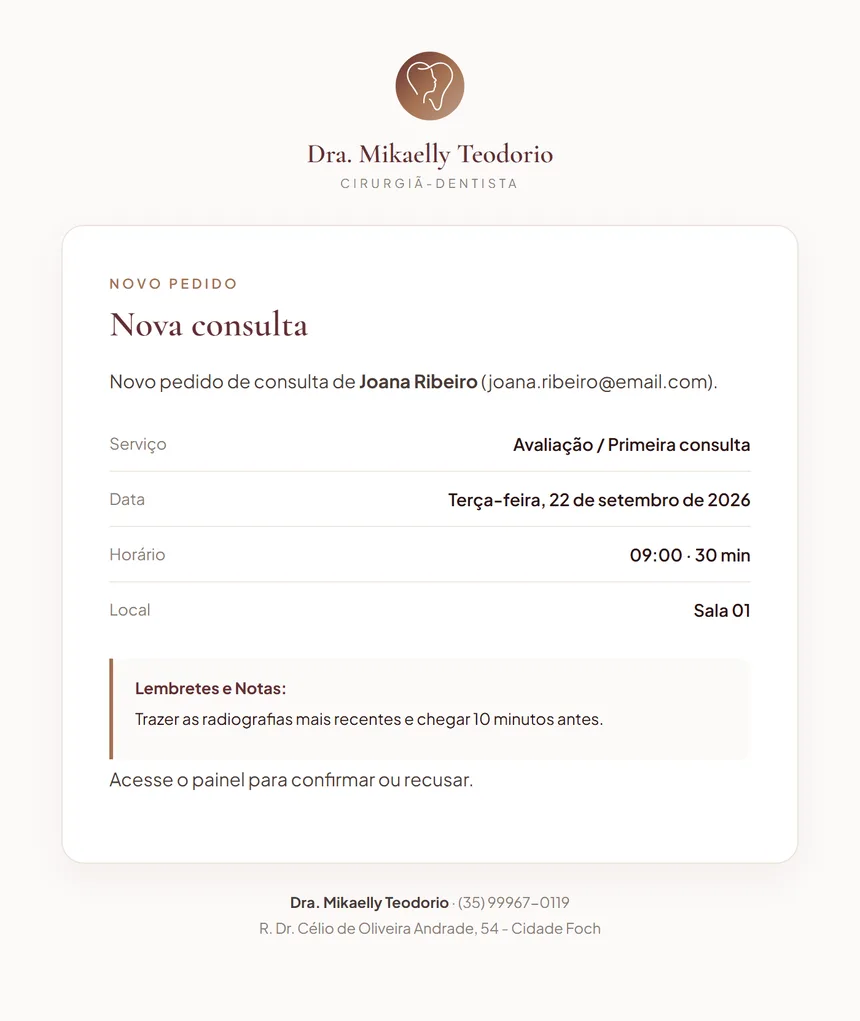
Email notifying the professional of a new booking request
New-request notice, sent to her.
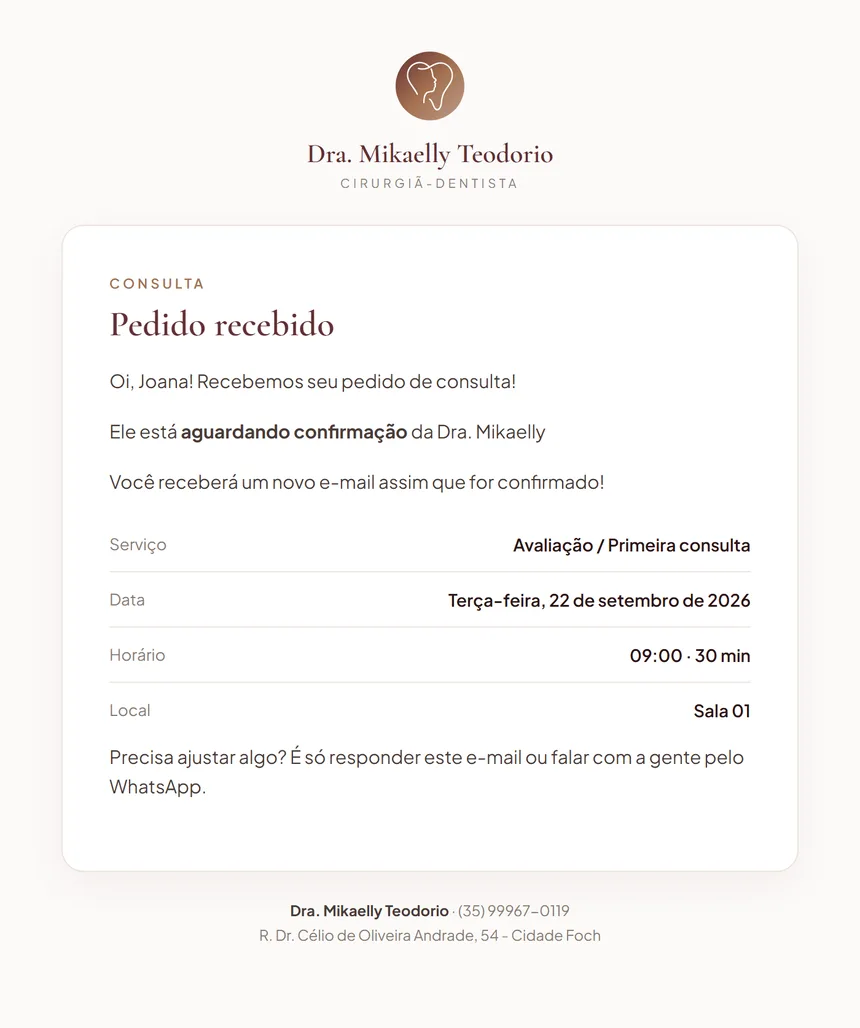
Email confirming to the patient that the request was received
Receipt confirmation, sent to the patient.

Her panel

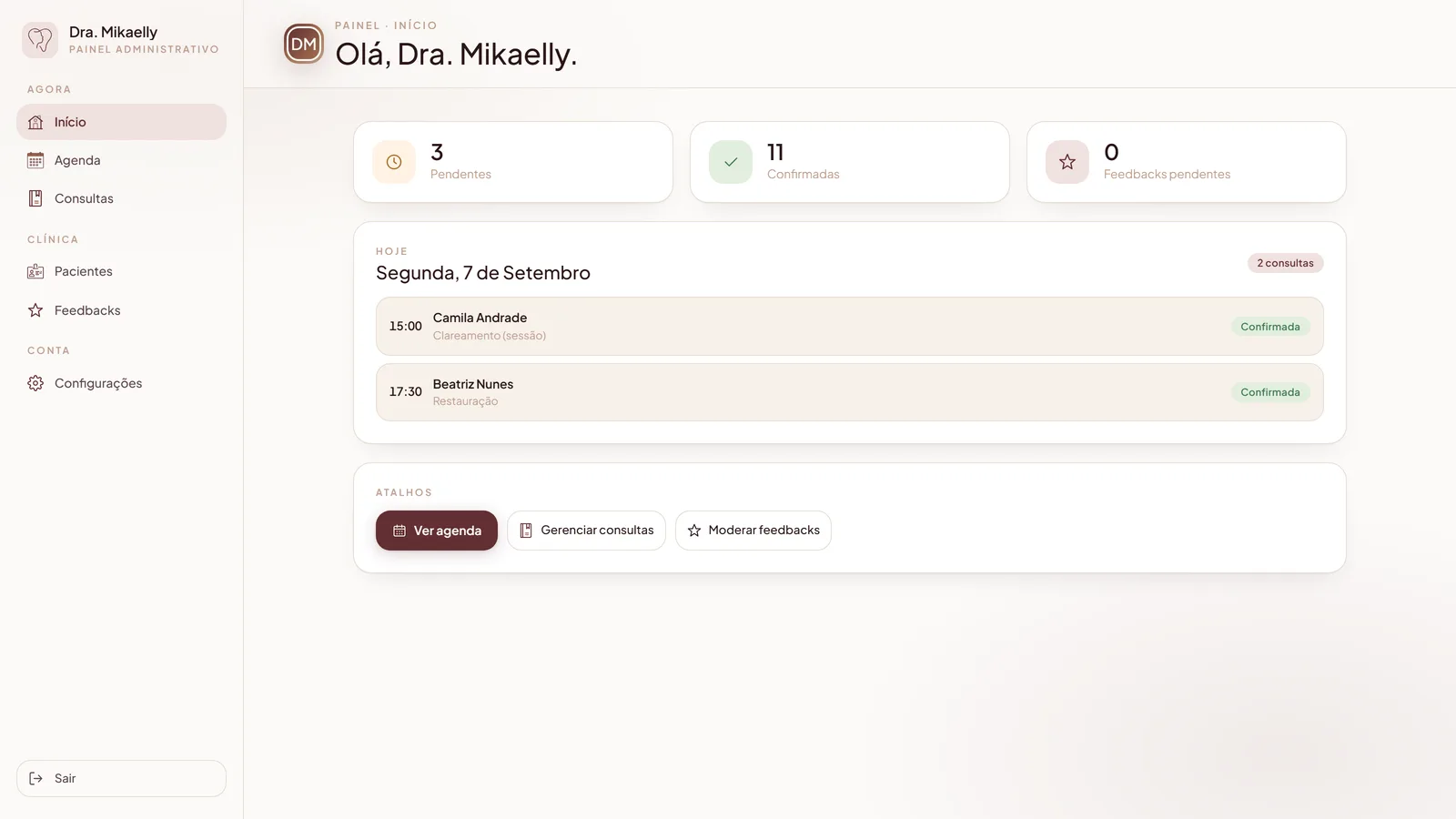
Admin panel showing what needs attention today
Her panel: what needs attention today, in one screen.
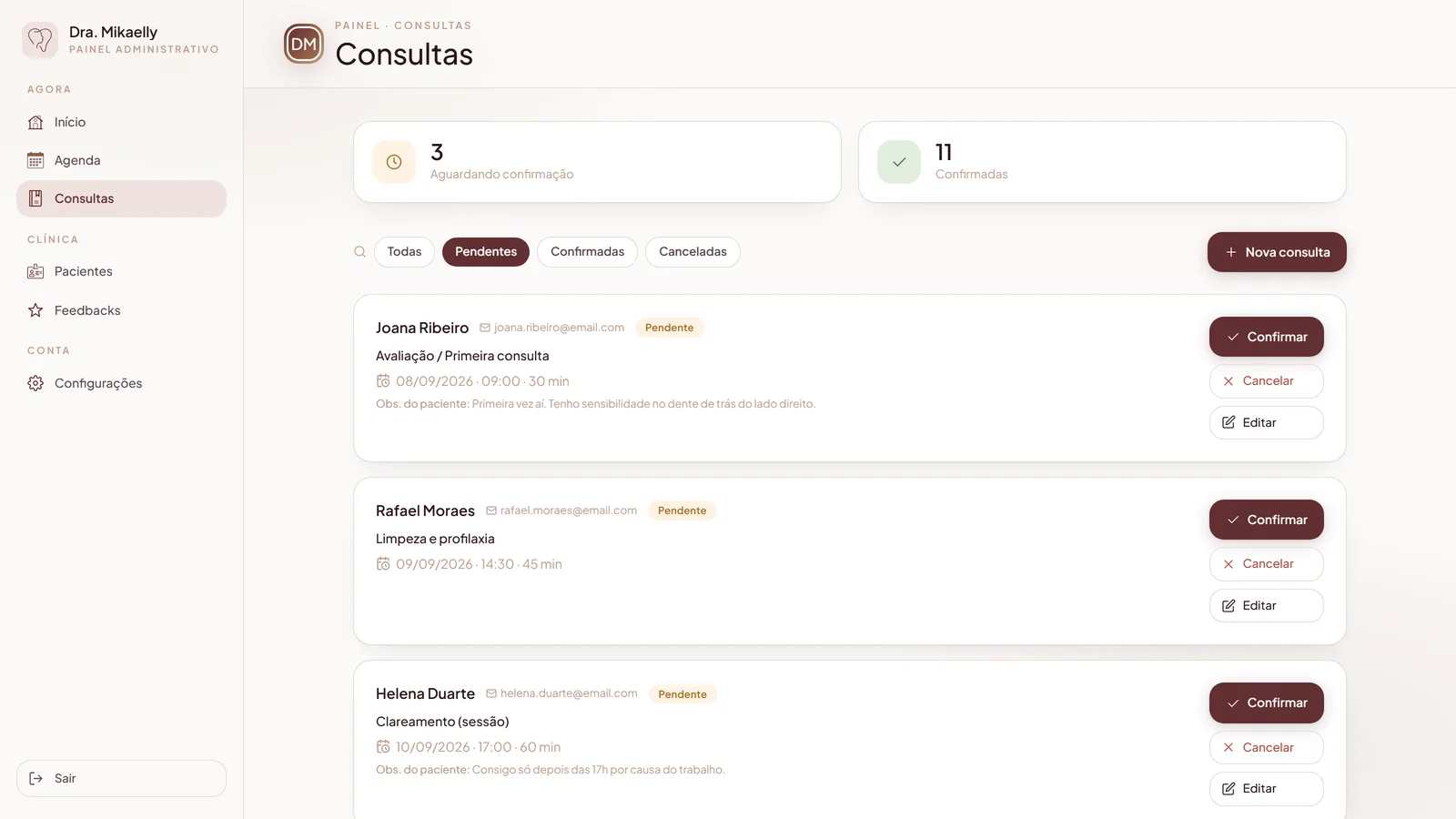
Panel of pending, confirmed and cancelled appointments
The appointments panel, with the right actions for each state. Names and emails in this image are fictional.
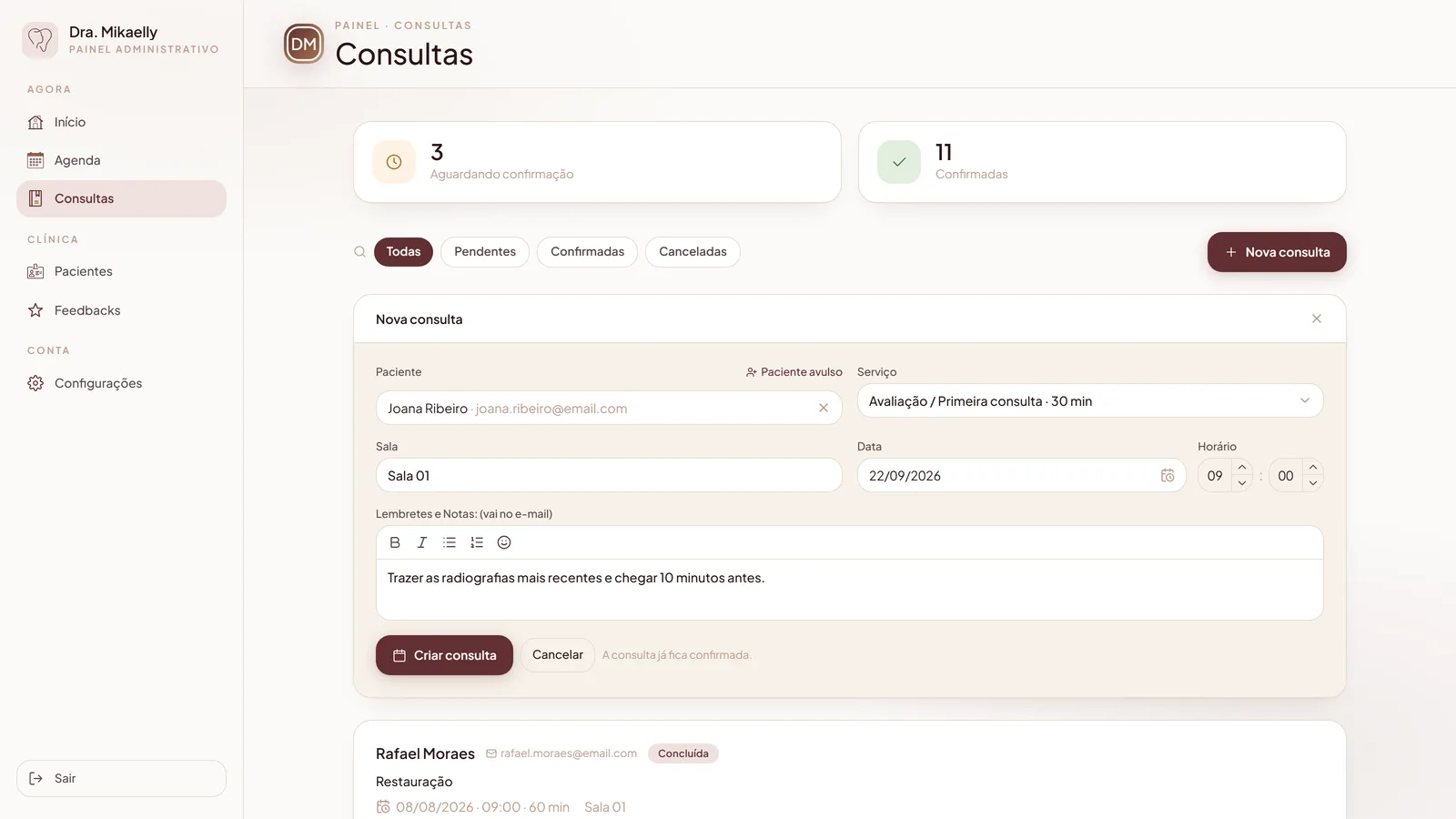
Screen for manually creating a new appointment from the panel
Booking for someone who called or showed up at the door.

Business card

Front of Dr. Mikaelly's business card
Front: brand, name and professional registration.
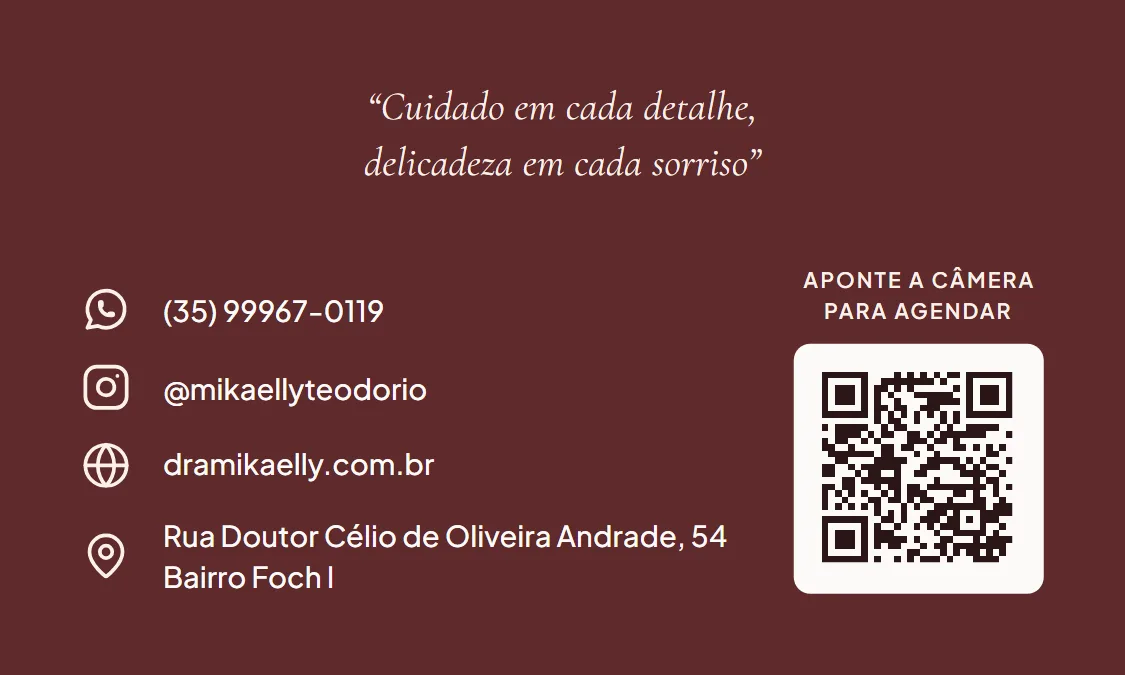
Back of the business card with a QR code
Back: contact info and the QR code that opens the links page.

Patient names and emails in the images were replaced with fictional ones: Joana Ribeiro and Camila Andrade.

Against what you've already considered

Including where the alternative wins, because a comparison that only flatters itself convinces no one.

Instagram onlyWix, LinktreeEcossistema
Cost to startfreelowan investment
What goes livea profileone pagethe system, in phases
Your own addressnopaid separatelyin your name
Findable on Googlebarelybasiccomplete
Client books on their ownnoplugin, extrayes
Reads your calendar before offering a slotnonoyes
Emails with your brandnolimitedyes
Password-protected client areanonoyes
Packages and progressnonoyes
Who you depend onthe platformthe platformme
Who owns the datathe platformthe platformyours

The most uncomfortable row in the table is the second-to-last: with a ready-made platform, you depend on a company; with me, you depend on a person. The trade-off is that the platform doesn't answer the phone, and I do.

From the first conversation to going live

Four stages. At each one you get something you can open and comment on.

Week 1

Discovery

A questionnaire about your work and another about the visual identity. Answer by voice message if you prefer. I come out of this with everything decided on paper.

Weeks 2–3

The public pages

Home page and bio page, with your text and your photos. You open it on your phone and ask for adjustments.

Weeks 4–5

Scheduling

Booking connected to your Google Calendar, automatic emails with your identity. From here on it's already usable for real.

Weeks 6–8

Client area and launch

Login, history, notes and packages. Domain pointed, professional email configured, measurement turned on.

What I need from you

Not much, but none of it I can invent for you: two photos of you, the text about your work (I write the draft, you correct it), your real hours and services, and one hour of conversation at each stage. If you don't have a logo yet, we sort that out later — the site starts with a neutral palette and swaps it in minutes once your identity arrives.

It's two things, and they're different

One ends. The other doesn't — which is exactly why it's monthly.

Build · one-time
from R$ 5,500
in instalments, per delivered phase

Varies with scope: presence plus scheduling stays at the base; a client area, packages and integrations push it up. The fixed quote comes after the discovery questionnaire, not before.

Maintenance · monthly
from R$ 200
starts when the site goes live

It isn't profit: most of it is cost I pay every month to the services that keep your site running. The rest is my time — following up, fixing and updating.

What the monthly fee covers

What's included

Hosting, database, sending emails, the security certificate, fixing any defect, security updates, the monthly report, and one hour of adjustments a month.

Separate budget

A new page, a new feature, a redesign, a campaign. None of it is urgent or mandatory.

Adjustment: once a year, by inflation. Hosting is billed in dollars, so a large exchange-rate swing is discussed, never applied as a surprise.

What's not included

Better to know now than find out later.

Photography

I tell you exactly which photos the site needs and how to frame them. You or a professional photographer takes them.

Building a logo from scratch

If you don't have one, I put together a simple typographic mark that works. A full brand identity is a brand designer's job.

Final copy

I write the draft for everything. You're the one who knows how to talk about your work — the review is yours.

Online payment

Card charges and recurring billing aren't part of the standard scope. It can be added, as its own budget.

Social media management

I don't post, write captions, or run paid traffic. The site works for your social channels; it doesn't replace them.

Fixed recurring slots

“Every Tuesday at 7pm for the whole semester” is a separate mechanism. If that's essential for you, say so early — it changes the timeline.

Printing the business card

You get print-ready files. Printing itself is on you — usually around R$ 90 per thousand.

The questions I'd ask myself

I'm just starting out and don't have a client flow yet. Is this worth it?

Not yet. Start with Instagram — it's free and it works. This makes sense once your schedule already hurts, once booking and confirming already eat hours of your week.

Isn't it risky to depend on one person?

It's a trade-off, not a hidden advantage. With a ready-made platform, you depend on a company; with me, you depend on a person. The difference is the platform doesn't answer the phone, and I do.

What's this llms.txt thing?

A new file format that describes your business to AI search engines. Honestly: adoption is still low and no major AI search engine has committed to reading it. It's included because it costs almost nothing and the standard might catch on — not because it will bring visitors tomorrow.

A thirty-minute conversation

No commitment, no pitch. You tell me how your schedule works today, where it hurts, and I'll tell you honestly whether this solves it — including if the honest answer is that it isn't worth it for you yet.

If it makes sense, the next step is the discovery questionnaire, and only then a fixed quote, scoped and timed to you.

Let's talk about your project.

Describe the problem in one line. I reply within two business days with an initial diagnosis free, before any proposal.